Documentation
Scroll speed & gestures
Twenty years of GNOME and still no scroll-speed slider: on Wayland, libinput hands the compositor fixed scroll deltas and GNOME passes them straight through. Margine ships wsf (wayland-scroll-factor) baked into the image: a small library loaded into GNOME Shell that multiplies touchpad scroll and pinch deltas by a factor you choose. The default is 1.0, byte-for-byte stock behaviour, so it does nothing at all until you reach for it.
The gap this fills
GNOME Settings has scroll direction and tap-to-click, but no scroll speed. The libinput maintainers consider speed the compositor's job; GNOME never grew the knob. The historical workarounds (a patched libinput, imwheel on X11, per-browser about:config tweaks) are all partial, fragile, or dead on Wayland.
wsf is Margine's answer, and a bit of a house specialty: it's written and maintained by the same person who builds Margine, which is why it's integrated this deeply. Source: wayland-scroll-factor on GitHub.
How it works
A small interposer library is preloaded into gnome-shell at session start (it ships in the OS image, nothing to install). It scales touchpad scroll and pinch deltas inside the compositor, before any application sees the event, so the factor applies uniformly to every window: GTK, Qt, Electron, XWayland, games, all of it.
- Touchpad only: mouse wheels send discrete clicks and are not affected.
- Factor 1.0 is a mathematical no-op: the shipped default. No measurable overhead, no behaviour change.
- Changes apply live: the library picks up the new factor on the next gesture; no logout, no restart.
Tune it with the GUI: wsf-gui
Open Activities and type "scroll". wsf-gui gives you sliders for the scroll and pinch factors with a live test area: adjust, scroll, adjust again. Settings persist across sessions.
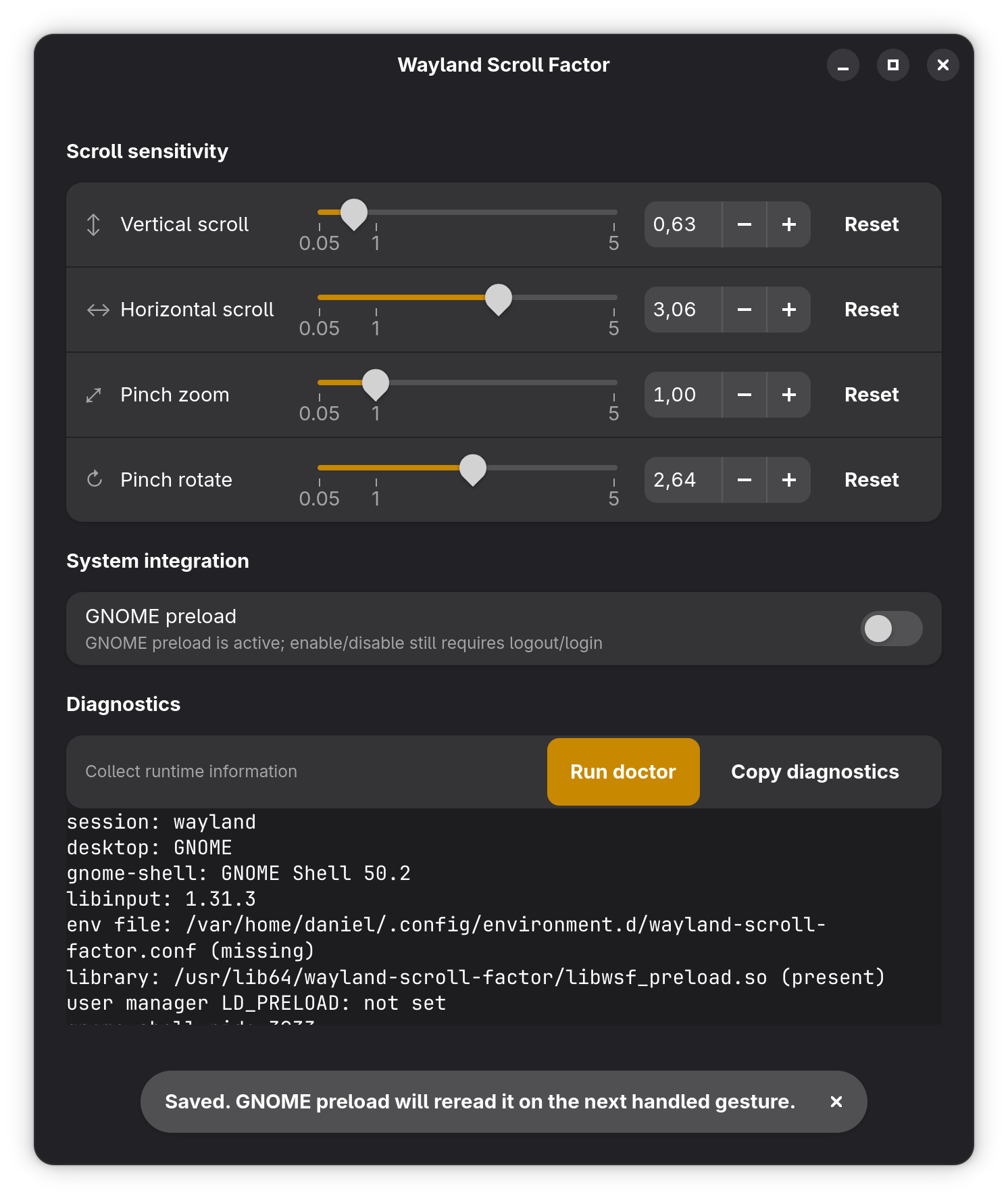
Tune it from the terminal
wsf get                            # current factors
wsf set 0.6                        # all factors to 0.6
wsf set --scroll-vertical 0.6      # vertical scroll only
wsf set --scroll-horizontal 0.8    # horizontal scroll only
wsf set --pinch-zoom 0.8           # pinch-to-zoom sensitivity
wsf set 1.0                        # back to stock
The config is a plain INI file at ~/.config/wayland-scroll-factor/config. wsf status shows whether the preload is active; wsf doctor prints a full diagnostic.
Picking a factor
- 1.0: stock GNOME. Where you start.
- 0.5 - 0.8: the common fix for "GNOME touchpad scrolling is way too fast".
- Above 1.0: for touchpads that feel sluggish.
Method: open a long page in Zen and a PDF in Papers, adjust in 0.1 steps until both feel right. Test pinch in Loupe or Maps separately: zoom often wants a different factor than scroll, which is why they're independent.
Opting out
wsf set 1.0 makes it inert. That's enough for almost everyone. To remove the preload from gnome-shell entirely:
ujust wsf-preload off              # disable (takes effect after logout)
ujust wsf-preload on               # re-enable
ujust wsf-preload                  # current state
Scope & troubleshooting
- GNOME Wayland session only: the preload targets gnome-shell; it does nothing in other compositors or sessions.
- Apps with custom scroll handling (some Electron apps, some games) re-interpret deltas their own way: the factor still applies, but the perceived change can differ from native GTK apps.
- Scrolling reverted to stock after an update? Run
margine-validate-margine-system, thenwsf doctor, and file an issue with both outputs.